
A 7bit casino deposit is a short job in the cashier: pick a payment method, enter the amount and confirm. The steps above show the order, and the table lists which methods are marked for deposits and withdrawals. Have your account details and your chosen payment method ready before you begin.
Most problems come from the preparation, not the payment itself. That means an account that is not yet verified, a payment method in someone else's name, or a crypto transfer sent on the wrong network. The sections below cover what happens behind the steps and what to do when a payment stalls. You can also log in first, or read the sign-up guide if you do not have an account yet.
What happens behind a deposit
Before you deposit, you need an account, and you must be of legal gambling age (19 in most provinces) and pass age and identity checks. Verification is required at 7bit Casino. The accepted documents are Passport, National ID card, Driving licence, Proof of address (dated within 90 days) and Proof of payment, and the verification guide explains how to prepare each one.
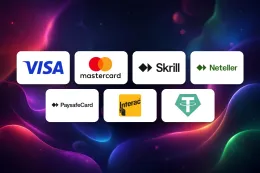
The payment methods are Visa / Mastercard, Skrill, Neteller, Paysafecard, Interac e-Transfer (Gigadat) and Cryptocurrency (BTC, ETH, LTC, DOGE, XRP, TRX, BNB, ADA, USDT). The table above marks Interac e-Transfer (Gigadat) and cryptocurrency for both deposits and withdrawals. The methods work differently, and that affects what you need to have ready.
- Visa / Mastercard: you need a card in your own name. Check with your bank that it allows gambling transactions, because some issuers block them.
- Skrill and Neteller: these are e-wallets. The wallet must already be funded and the account name should match your casino profile.
- Paysafecard: this is a prepaid voucher. Check that the voucher balance covers the amount you want to enter.
- Interac e-Transfer (Gigadat): this payment goes through your online banking, so have your banking login to hand.
- Cryptocurrency: you send coins from a wallet or exchange. The coins listed are BTC, ETH, LTC, DOGE, XRP, TRX, BNB, ADA and USDT.
Names and ownership
As general advice, use payment methods that are registered in your own name. A name that differs from your casino profile is a common reason for a document request or a rejected payment. The same applies to withdrawals, so think about which method you want to use on the way out before you pick one on the way in. The withdrawals page covers that direction.
Crypto specifics
With cryptocurrency, the amount that arrives depends on the coin, the network and the fee your wallet or exchange charges. Copy the deposit address exactly from the cashier and send only the coin it names, on the network it names. The value of a coin can change between the moment you buy it and the moment you play, so the balance in C$ may differ from what you expected. Sending a different coin, or using a different network, can mean the funds do not arrive and cannot be recovered.
Offers and deposits
If you are depositing with a bonus in mind, read its terms before you confirm the payment. Which deposits qualify, and under what conditions, is set out on the welcome bonus page. T&Cs apply.
19+ · T&Cs apply
When a deposit does not go through
The payment is declined. For a card, the usual causes are a bank block on gambling transactions, a wrong card number or expiry date, or a name that does not match. Check these first, then contact your bank. With an e-wallet or Paysafecard, check the balance and that the account is active. Retrying the same payment over and over rarely helps. Find the reason first.
The method is not offered. The cashier may not show every method for every account. If the one you wanted is missing, choose another from the list or ask support. The table above shows what each method is marked for.
The money left your account but your balance did not change. Wait a short while and reload the page. Crypto in particular has to be confirmed on the network before it can be credited, and how long that takes depends on the coin and the network, not on the casino. If the balance still has not changed, collect the details of the payment: the method, date, amount and a reference, transaction hash or screenshot.
You sent crypto to the wrong address or network. Contact support straight away with the transaction details. Say plainly what you sent and where. Be aware that a transfer on the wrong network is often not recoverable.
You are asked for documents. Support may ask you for documents from this list: Passport, National ID card, Driving licence, Proof of address (dated within 90 days) and Proof of payment. Send clear, complete images where every corner of the document is visible, and where the name and the details match your profile. If a document is rejected, the reason is usually a blurred photo, a cropped edge, an expired document or an address proof that is out of date. Proof of address must be dated within the period shown on the list. Read the verification guide for how to prepare each one.
You cannot log in to deposit. Use the password reset on 7bit Casino's own website. The login page has the details.
Contacting support
Email support is available. Include your account name, the payment method, the amount, the date and any reference number or screenshot. A short message with the details gets a better answer than a general complaint. The contact page has more on getting in touch. The facts give no support hours or reply times, so do not plan around a particular response time.
Keeping control of your deposits

Use the right place to log in. Enter your password only on 7bit Casino's own website. This site has no login or payment form, and nothing here asks for your details. If a message, email or page asks for your password or card number, do not give it.
Use a unique password. Do not reuse the password from your email or your bank. If you suspect someone else has your login, change the password and contact support.
Set your own limit before you deposit. Gambling is entertainment that costs money, so decide on an amount you are comfortable spending and keep to it. Deposit limits, breaks and self-exclusion are available to players, and the safer gambling page explains them. If you have a concern about your play, the helplines listed at the bottom of the page are free and confidential.
Keep your documents ready. Photos of your ID, proof of address and proof of payment, saved in a folder on your own device, make a document request easier to handle.
Keep records. Save confirmations, transaction hashes and screenshots of payments. They are useful if you need to ask support about a transaction, and they help you keep track of what you have spent.
Think about the way out. Before you deposit with a method, check in the table above whether it is marked for withdrawals as well. Matching the two where you can keeps things simple, and the withdrawals page explains what to expect when you cash out.