

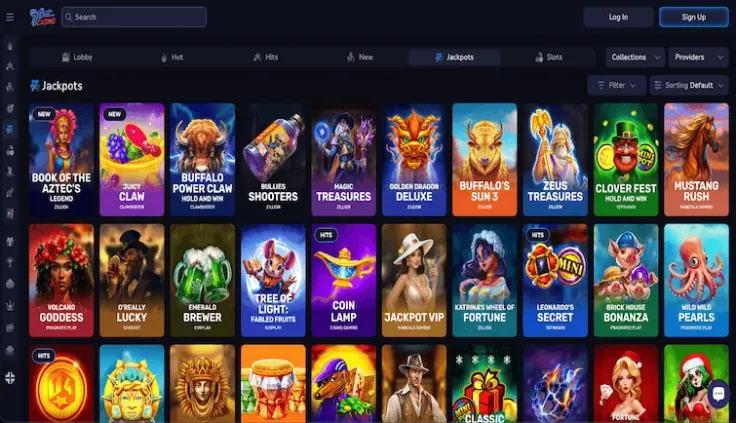
Verifying your 7bit Casino account means sending 7bit Casino copies of your identity and address documents and letting the checks confirm your details. Verification is required at 7bit Casino, so it is worth doing before you need to request a withdrawal. The steps above show what to upload and in what order, and the requirements table lists the documents. Gather the copies before you start, so you do not have to stop halfway through. You must be of legal gambling age, 19 in most provinces, and pass age and identity checks.
What the checks involve
Verification at 7bit Casino compares the copies you send with the details on your account. Your name and address need to match in both places, because a mismatch often sends a check to a second review. Use the spelling from your documents when you fill in your account details.
Before you upload, go through this list:
- Each document is complete, with all four corners and every line of text in the frame.
- The photo is sharp and evenly lit, with no glare over the details.
- The name on the document matches your account exactly.
- The proof of address is recent enough to meet the date requirement in the steps above.
- The proof of payment shows your name and the payment method you used.
- No document has been edited, cropped or annotated.
Verification does not finish the moment you upload. Expect a wait while the copies are reviewed, and a longer one if a copy has to be sent again. Sending the same copy again does not add any information, so fix the problem before you resubmit.
The ways to fund the account are covered in the deposits guide. Read it while you gather your documents, so the payment method you plan to use is ready to match your proof of payment.
If a check raises a question, you can contact 7bit Casino support by email. Say which document the question is about, and attach new copies only if support asks for them. Keep the message short and specific, so the reply can be matched to the right upload.
19+ · T&Cs apply
Common problems and what to do
A document is rejected. Usually one thing is wrong: the image is blurred or cropped, the proof of address is too old, or the name differs from the account. Fix that one point and send a new copy. Sending the same image again does not change the result.
The name or address does not match. Do not edit a document to make it match. Send an unedited copy that shows the details as they are. If the details on your account are wrong, contact 7bit Casino support before you upload anything else.
You cannot reach the verification section. Log in with your own details on the website. If you cannot get in, read how to log in before you try again, and do not share your password with support or anyone else.
The check takes longer than you expected. If nothing has changed for a while, send 7bit Casino support a short email that names the document and the date you uploaded it. Do not upload the same copies again while you wait.
You are waiting to request a withdrawal. Follow the confirmation step in the steps above first. The request itself is explained in how withdrawals work.
A deposit fails. A failed deposit is usually a payment question rather than a verification one. Check the payment details you entered, then try again with the same method or another one from the cashier.
You are unsure about the operator. Before you send identity documents to any site, read whether 7bit Casino is legit. That page covers the questions about the operator itself.
Keeping your account and documents safe

Enter your password only on 7bit Casino's own website. If an email, message or link asks you to log in or verify your account somewhere else, do not follow it.
Upload documents only in the verification section of your account. Do not send copies in chat messages or on social media, and do not send them to anyone who contacts you first, even if they say they are from 7bit Casino.
Keep your own copies of everything you upload, and store them in a private folder rather than a shared one. Delete the files from any device you no longer use.
Deposit limits, breaks and self-exclusion are available. Read about them on the safer gambling page, and if gambling is becoming hard to control, contact one of the free, confidential helplines listed at the bottom of the page.